Writing a book is only one part of the publishing journey.
After completing your manuscript, the next challenge is preparing it for readers. You upload your Word document to a publishing platform, preview the book, and suddenly notice problems:
- Chapter titles appear in the wrong position.
- Page numbers appear where they should not.
- Paragraphs break awkwardly.
- Images shift unexpectedly.
- The overall layout does not look professional.
The content may be complete, but the presentation is not ready.
This is where book formatting services become essential.
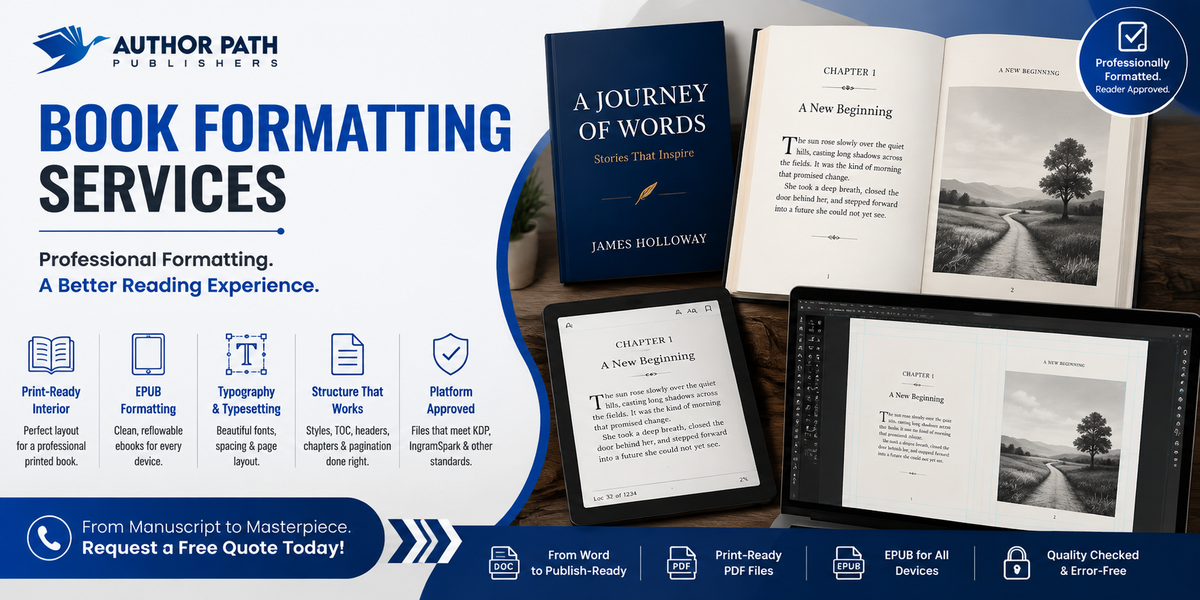
Professional formatting transforms a manuscript into a polished interior file that works correctly for print and digital publishing platforms.
At Author Path Publishers, formatting is treated as an important part of the publishing process, not just a final technical step. A professionally formatted book allows readers to focus on your words instead of being distracted by layout issues.
A Word Document Is Not a Finished Book Interior
Microsoft Word is an excellent writing tool.
Authors use it to:
- Draft chapters.
- Edit content.
- Add comments.
- Collaborate with editors.
However, a Word document is not designed to function as a professional book interior.
Many manuscripts contain formatting created manually:
- Using spaces for alignment.
- Pressing Enter repeatedly to move chapter titles.
- Applying random font sizes instead of proper styles.
- Creating inconsistent paragraph spacing.
These methods may appear fine on your computer screen, but they often break when converted into a different trim size or publishing format.
Professional manuscript formatting rebuilds the document properly by using:
- Paragraph styles.
- Section breaks.
- Consistent heading structures.
- Professional page layouts.
- Proper typography settings.
The result is a book interior designed specifically for publication.
Understanding the Parts of a Professionally Formatted Book
Readers may not notice good formatting, but they immediately notice poor formatting.
A professional book interior usually includes properly arranged front matter, body text, and back matter.
Front Matter
Front matter appears before the main content and may include:
Half Title Page
A simple page displaying only the book title.
Title Page
Includes:
- Book title.
- Subtitle.
- Author name.
- Publisher information.
Copyright Page
Contains:
- Copyright information.
- ISBN details.
- Edition information.
- Publishing credits.
- Legal notices.
Dedication
A personal message from the author.
Table of Contents
A structured navigation tool, especially important for nonfiction and ebooks.
Foreword, Preface, or Introduction
Additional sections that prepare readers for the book.
Back Matter
Back matter appears after the main content and may include:
- Acknowledgements.
- Appendices.
- Notes.
- Glossary.
- Index.
- Author biography.
Nonfiction books often require additional back matter, and all sections must be planned before final page count calculations.
Running Heads, Page Numbers, and Chapter Openers
Professional book formatting includes many small details that improve the reading experience.
Running Heads
Running heads are small text elements placed at the top of pages, often showing:
- Book title.
- Chapter title.
- Author name.
Folios
Folios are page numbers.
They follow specific publishing conventions:
- Front matter may use Roman numerals.
- Main chapters usually begin with Arabic page numbers.
- Chapter-opening pages often remove page numbers.
Chapter Openers
Professional books maintain consistency by ensuring chapters begin at the same position on the page.
Many printed books start chapters on the right-hand page. When necessary, a blank left page is intentional and part of professional formatting.
Choosing the Right Trim Size and Margins
Trim size is the final physical size of your printed book.
The size affects:
- Page count.
- Printing cost.
- Reader experience.
- Overall appearance.
Common examples include:
- 6 × 9 inches for many fiction and nonfiction books.
- Custom sizes for memoirs, poetry, children’s books, and illustrated projects.
Margins are also important.
The inside margin, known as the gutter, allows space for binding.
A thicker book requires a wider gutter because more pages disappear into the spine area.
Incorrect margins can result in:
- Text becoming difficult to read.
- Content appearing too close to the binding.
- Publishing platform rejection.
The Small Formatting Details Readers Notice
Professional book typesetting focuses on removing distractions.
Important details include:
Widow and Orphan Control
A widow is a short final line appearing alone at the top of a page.
An orphan is a first line left alone at the bottom of a page.
These small issues interrupt the reading flow.
Spacing and Alignment
Professional formatting corrects:
- Uneven spacing.
- Large gaps.
- Poor paragraph alignment.
- Excessive white space.
Typography
A professional layout considers:
- Font selection.
- Line spacing.
- Paragraph spacing.
- Reading comfort.
Good formatting allows readers to focus completely on the story.
Print Formatting vs Ebook Formatting
Print books and ebooks require different approaches.
Print Interior Formatting
A printed book has fixed pages.
The designer controls:
- Page breaks.
- Margins.
- Fonts.
- Images.
- Layout.
Ebook Formatting EPUB
An ebook is different because the content reflows based on the reader’s device.
Readers can change:
- Font size.
- Screen size.
- Display settings.
A professional EPUB file requires:
- Properly structured content.
- Linked table of contents.
- Correct heading tags.
- Digital navigation.
A print PDF cannot simply be converted into an ebook because each format follows different rules.
What Book Formatting Services Include
Professional formatting services typically provide:
Print-Ready Interior PDF
Prepared according to:
- Trim size.
- Printer requirements.
- Publishing platform specifications.
EPUB Ebook File
Created for digital retailers with:
- Proper navigation.
- Clean structure.
- Reader-friendly formatting.
Editable Source Files
Allow future updates without rebuilding the entire book.
Common Reasons Publishing Uploads Get Rejected
Publishing platforms often reject files because of:
- Missing font embedding.
- Incorrect page size.
- Missing bleed for full-page images.
- Incorrect margins.
- Broken ebook navigation.
- Low-resolution images.
Professional KDP formatting helps ensure files meet platform requirements before submission.
Formatting for Illustrated Books, Tables, and Special Projects
Some books require additional formatting expertise.
Examples include:
- Children’s books.
- Cookbooks.
- Art books.
- Technical nonfiction.
- Books with charts and tables.
Illustrated books may require fixed-layout ebook formatting because images and text must remain positioned together.
Complex elements such as:
- Tables.
- Sidebars.
- Footnotes.
- Pull quotes.
- Figures.
require careful planning to work correctly in both print and digital formats.
Frequently Asked Questions
Can I Format My Book Myself In Word?
Yes, some authors format simple manuscripts themselves.
However, professional formatting requires knowledge of:
- Paragraph styles.
- Section breaks.
- Margins.
- Typesetting.
- Export settings.
Complex books with images, tables, or special layouts usually require professional support.
What Is The Difference Between Formatting And Typesetting?
Formatting prepares files according to publishing requirements.
Book typesetting focuses on the visual reading experience, including:
- Typography.
- Spacing.
- Page balance.
- Professional layout decisions.
Good formatting helps your book get accepted. Good typesetting helps readers enjoy the experience.
Do I Need Separate Files For Different Publishing Platforms?
Usually, one properly created EPUB works across many ebook retailers.
However, print editions require separate files based on:
- Trim size.
- Format.
- Printer requirements.
- Edition details.
How Long Does Book Formatting Take?
The timeline depends on:
- Book length.
- Layout complexity.
- Number of images.
- Tables.
- Print and ebook requirements.
Simple novels usually require less time than illustrated or technical books.
Get Professional Book Formatting Services From Author Path Publishers
Your manuscript deserves to look as professional as the books readers already trust.
The book formatting services at Author Path Publishers prepare your manuscript for print and digital publishing with:
- Professional interior layouts.
- Print-ready PDFs.
- EPUB ebook formatting.
- Typesetting support.
- Platform-ready files.
Your manuscript remains confidential; you keep full rights and royalties, and your book receives professional attention from formatting to final publishing preparation.